YOUR MAC,
AS A CITY.
DeskCity turns your desktop into a living 3D city. Every building does something — your mail is at The Post, your music at Club Pulse, your files in The Archive. Spin it, zoom in, walk its streets. Or just start typing, and it lights up the place that does what you asked.
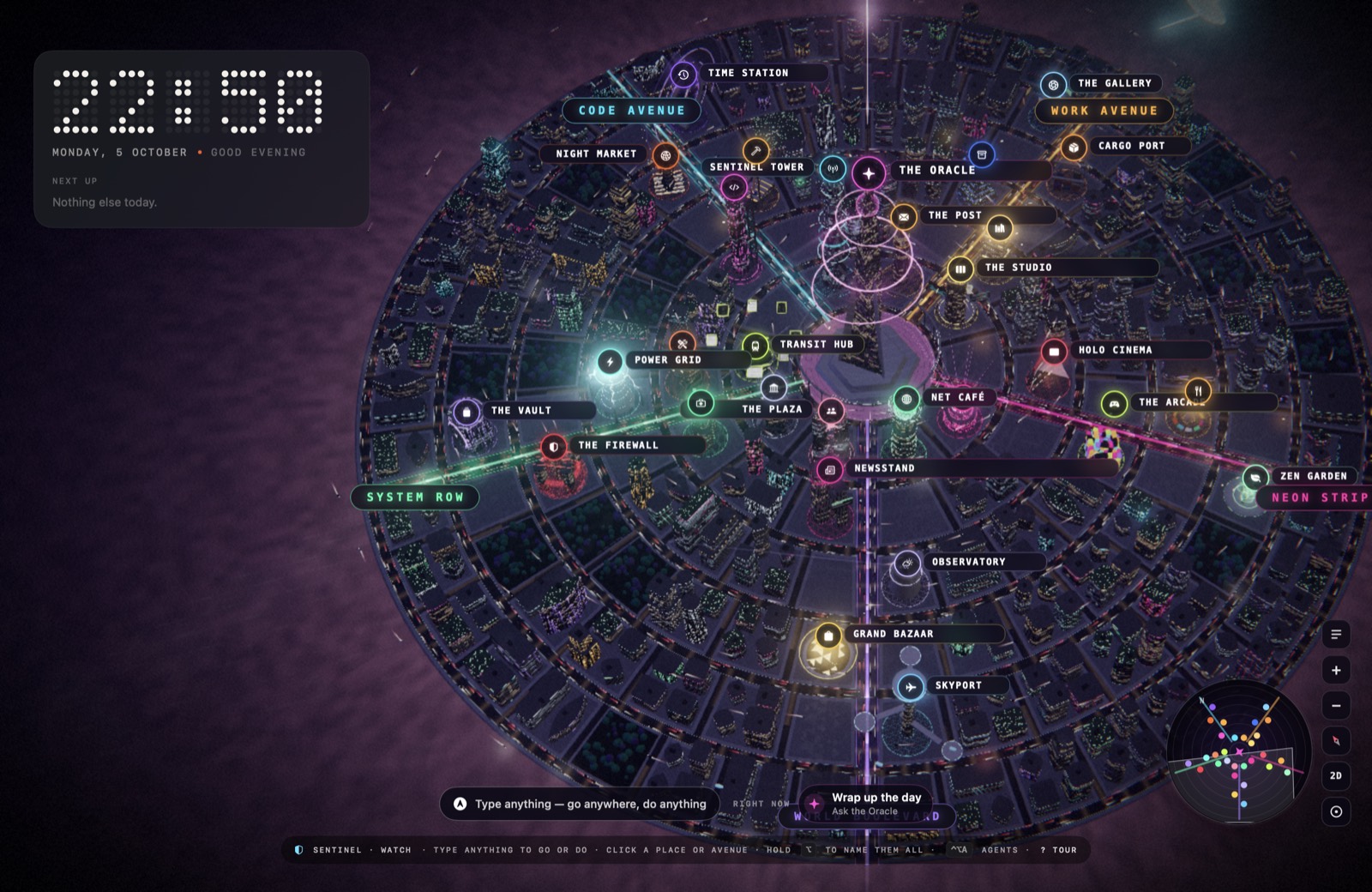
You never have to remember where anything is.
Type on the desktop and Compass works out what you mean. The place that handles it lights up; press Return and it's done.
dark mode→Power Gridwatch lofi beats→Holo Cinemaremind me to call mum→The Librarytrack 1Z999AA10123456784→Grand Bazaar180 cm to ft→The Toolshedstart coding→The StudioOne street for each part of your life on a laptop.
Every place sits on the avenue it belongs to, so a street always means something. Empty lots are yours: put an app, a website, a folder, a Shortcut or an AI routine on one, and it gets a building of its own.
Code Avenue
Build, ship, and guard your AI agents
- Sentinel Tower
- The Forge
- The Workshop
- Night Market
- Time Station
Work Avenue
Workspaces, mail, notes, files, downloads
- The Studio
- The Post
- The Library
- The Archive
- Cargo Port
- The Gallery
Neon Strip
Music, film, games, food and rest
- Club Pulse
- Holo Cinema
- The Arcade
- Food Street
- Zen Garden
World Boulevard
People, the web, news, weather, shops, travel
- The Plaza
- Net Café
- Newsstand
- Observatory
- Grand Bazaar
- Skyport
System Row
Your Mac: apps, health, power, safety, tools
- Town Hall
- The Toolshed
- Transit Hub
- The Clinic
- Power Grid
- The Firewall
- The Vault
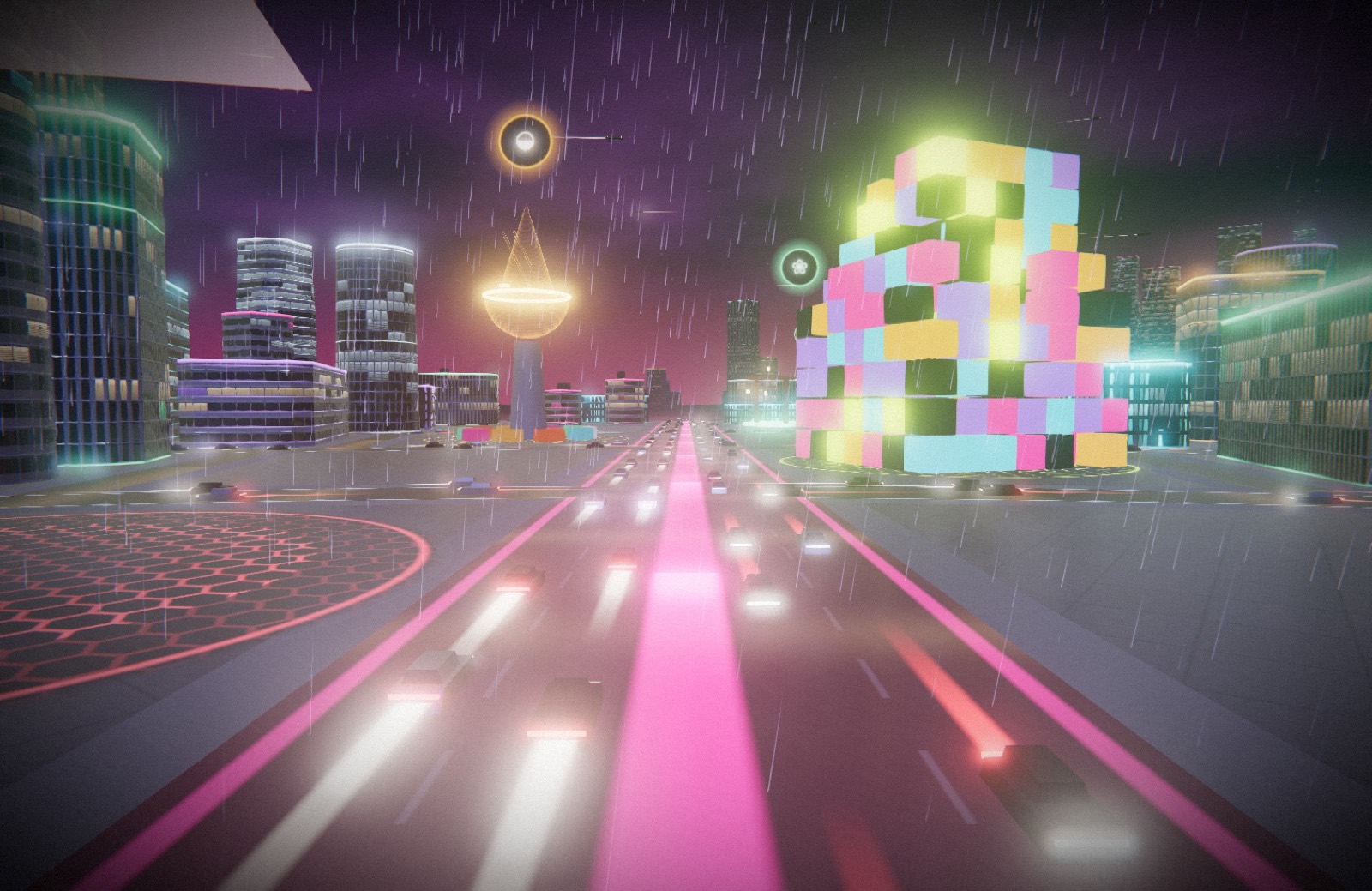
Go down to the street.
Double-click any avenue and you're standing in it. Scroll to walk, drag to look around, click a building to go in. The time of day follows your clock, and the weather can follow the real sky outside.
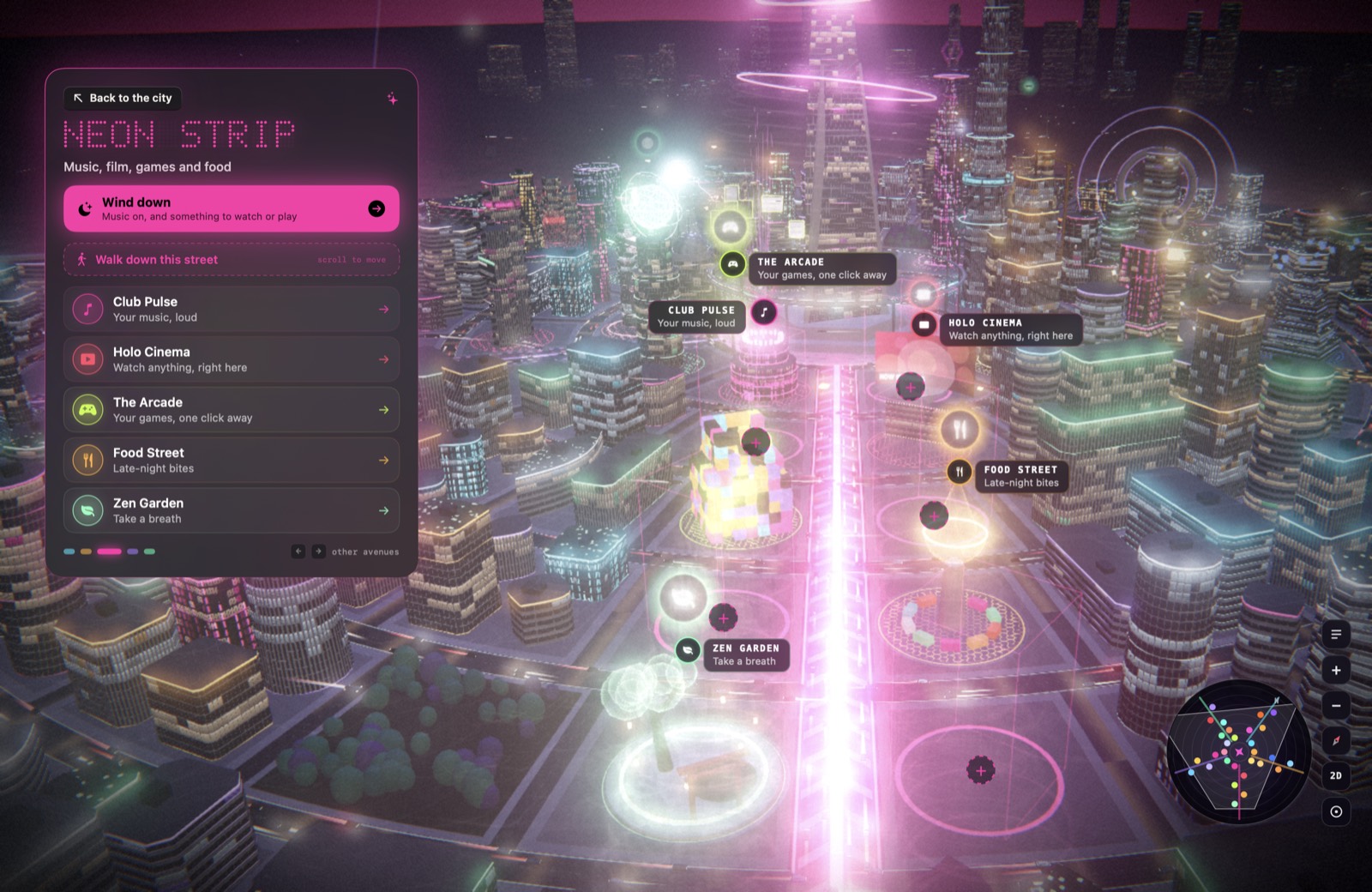
Every street is a workflow.
Fly to an avenue and one button starts what it's for: Start coding opens your coding apps and lays the windows out; Wind down puts your music on; Catch up briefs you on your calendar, the weather and the news.
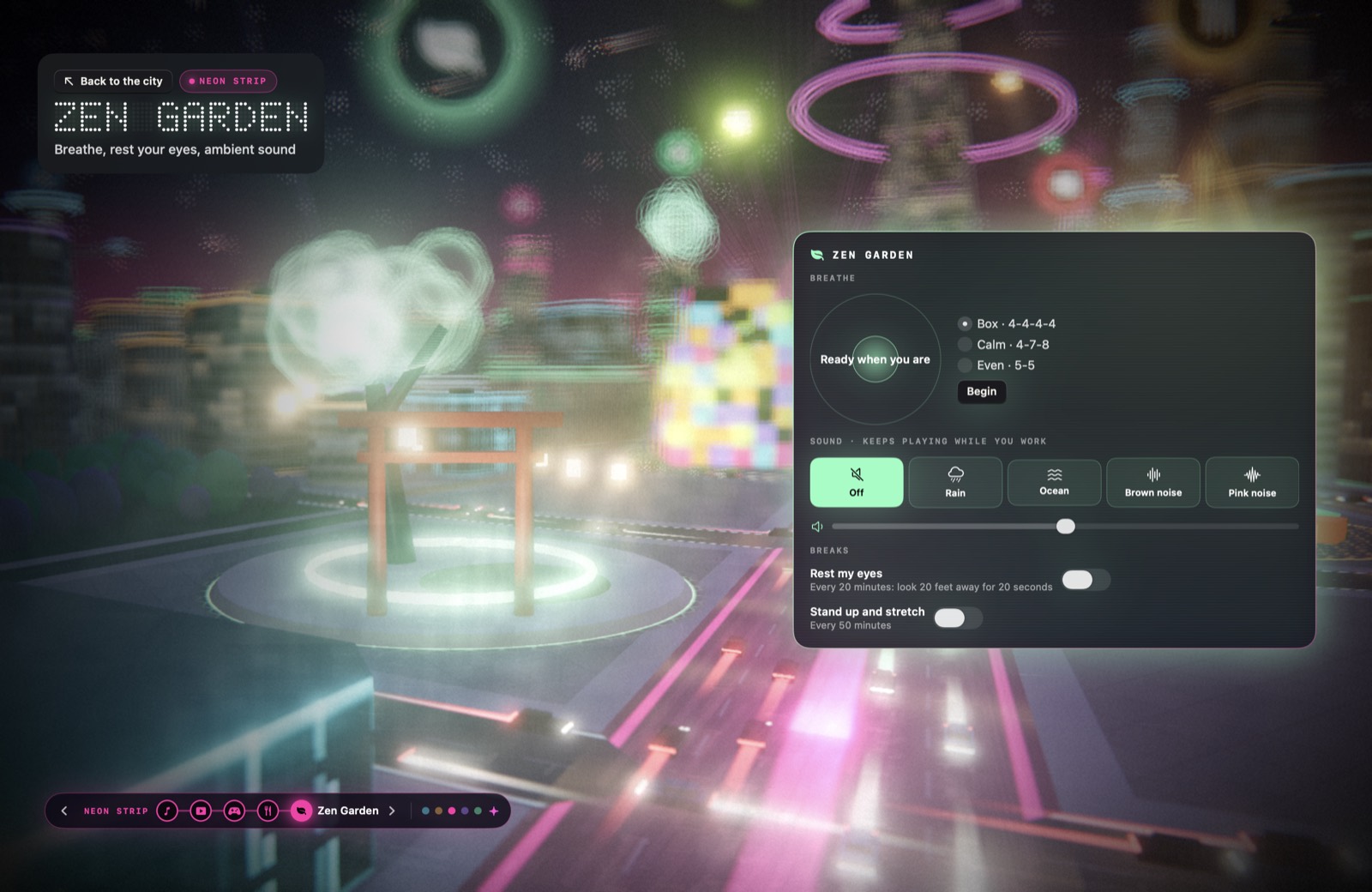
Somewhere quiet, in the middle of the neon.
Guided breathing, rain or ocean or brown noise generated live while you work, and reminders to rest your eyes and stand up. No audio files, no subscription to a calm app.
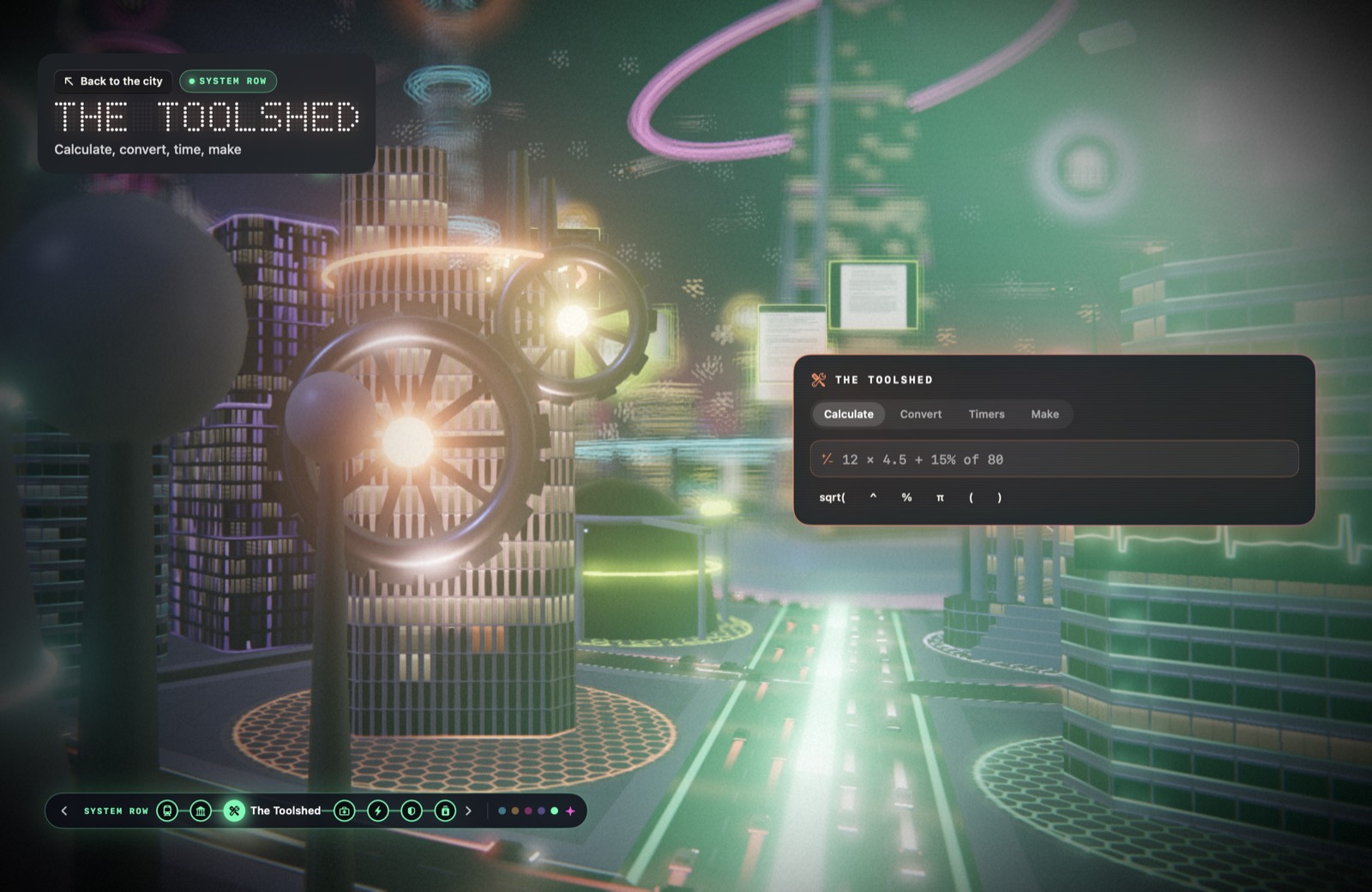
The little tools you'd open a website for.
A calculator that reads 15% of 80, unit and currency conversion, timers and a stopwatch, a password maker, QR codes, a colour picker for anything on screen, and quick fixes for the text on your clipboard.
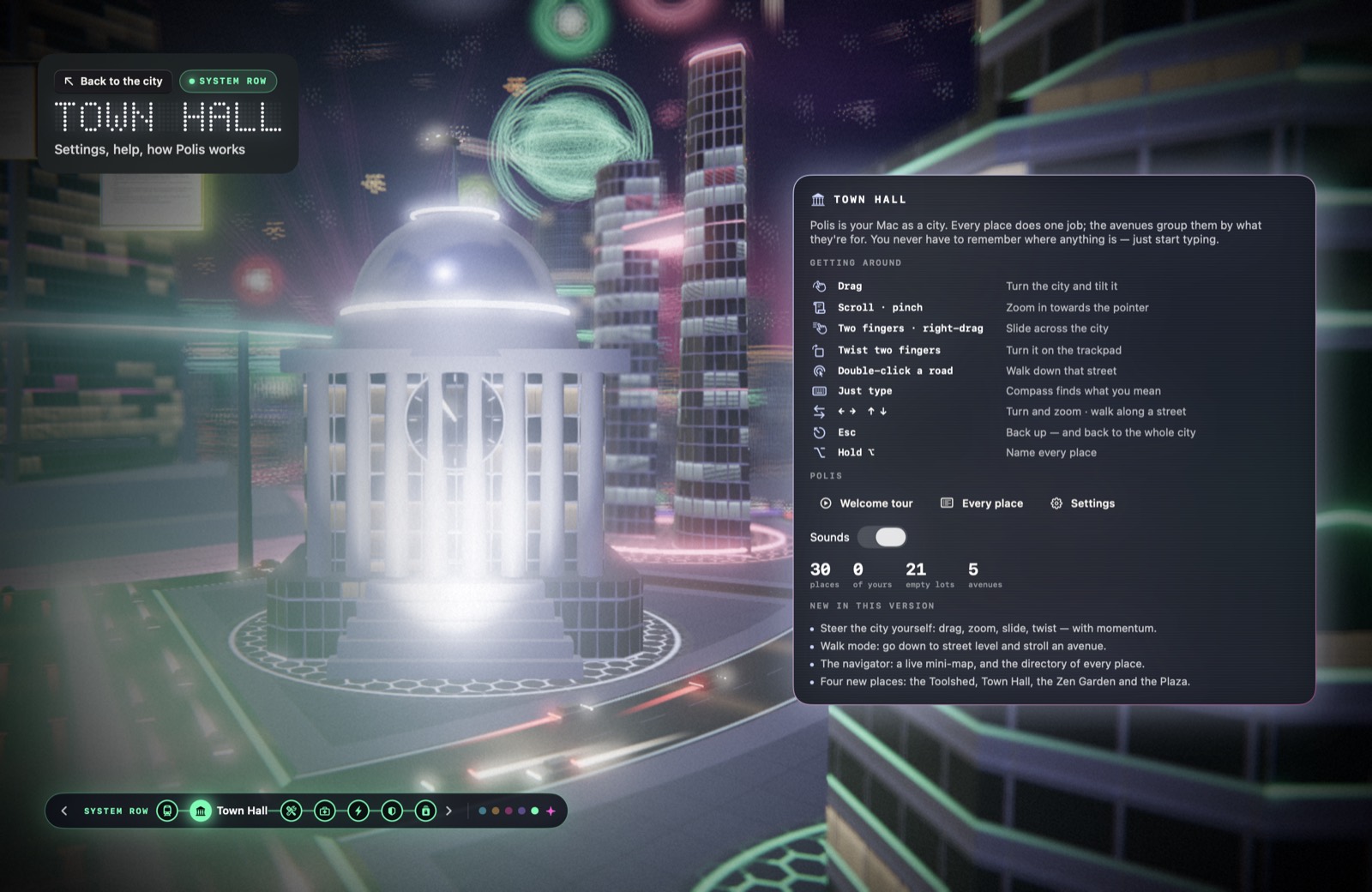
Never lost.
Town Hall explains how everything works, holds the settings, and replays the welcome tour. The mini-map in the corner turns with you, and the directory lists every place in the city on one sheet.
Beautiful, and light on your battery.
CPU while your windows cover it. The city sleeps when you can't see it.
When you're using it. A calm pace behind your windows, calmer still on battery.
Accounts, analytics or trackers. What DeskCity knows about your Mac stays on your Mac.
Free to live in. Pro to build with.
- The living city as your desktop, and it grows as you work
- The Oracle with your own Claude plan or API key
- 22 places: your mail, music, files, apps, health, weather and more
- Compass: type anything, go anywhere
- Postcards: film your city for TikTok
or NZ$165 a year (about two months free) · roughly US$10 / month
- Code Avenue: Sentinel guards your AI coding agents, rewinds any turn, launches projects
- The Studio: one click lays out your apps for work
- The Archive: find any file by describing it
- The Vault: clipboard history and window save points
- Your own places, and every postcard style
- Every new drop: districts, city skins and seasonal events, monthly
Early access opens soon.
Before you move in.
How does Pro work?
Your first 14 days are Pro, no card needed. After that, Pro is NZ$17 a month or NZ$165 a year (about US$10 or US$96; your card converts it): you get a licence key by email, paste it into DeskCity, and that's it. Payments and tax are handled by Lemon Squeezy, and you can cancel any time from the link in your receipt.
What happens if I cancel?
You keep everything that's free, and you keep your city: every tower you've grown, your streak and your postcards stay yours. The Pro places just rest until you come back.
Which Macs does it run on?
Macs with Apple silicon (M1 or later) running macOS 26. It's tuned for MacBooks, notch included.
Does it replace my apps?
No. It's a faster way into them, and it does the small jobs itself. The Post opens your mail, Club Pulse controls your music, the Studio launches and arranges your apps for a session.
What does the AI need?
The Oracle works with your Claude subscription, an Anthropic or OpenAI key, several other providers, or a local model through Ollama. The city and most places work with no AI at all.
What leaves my Mac?
Only what a feature needs: your requests to the AI provider you picked, your time zone's city for the weather, package names Sentinel checks. No files, contacts, clipboard or keystrokes, ever.
Will it drain my battery?
It renders only when you can see it, slows down when you're in other apps, and has a Battery saver mode in Town Hall.
I build with AI agents. What's in it for me?
Sentinel watches Claude Code as it works: it blocks catastrophic commands and packages that don't exist, checkpoints every turn so you can rewind it, and explains what changed. Your agents fly around Sentinel Tower as drones, coloured by what they're doing.
Can I turn it off?
Yes. Switch the city off in Settings and your normal wallpaper comes back. Everything else keeps working from the notch.